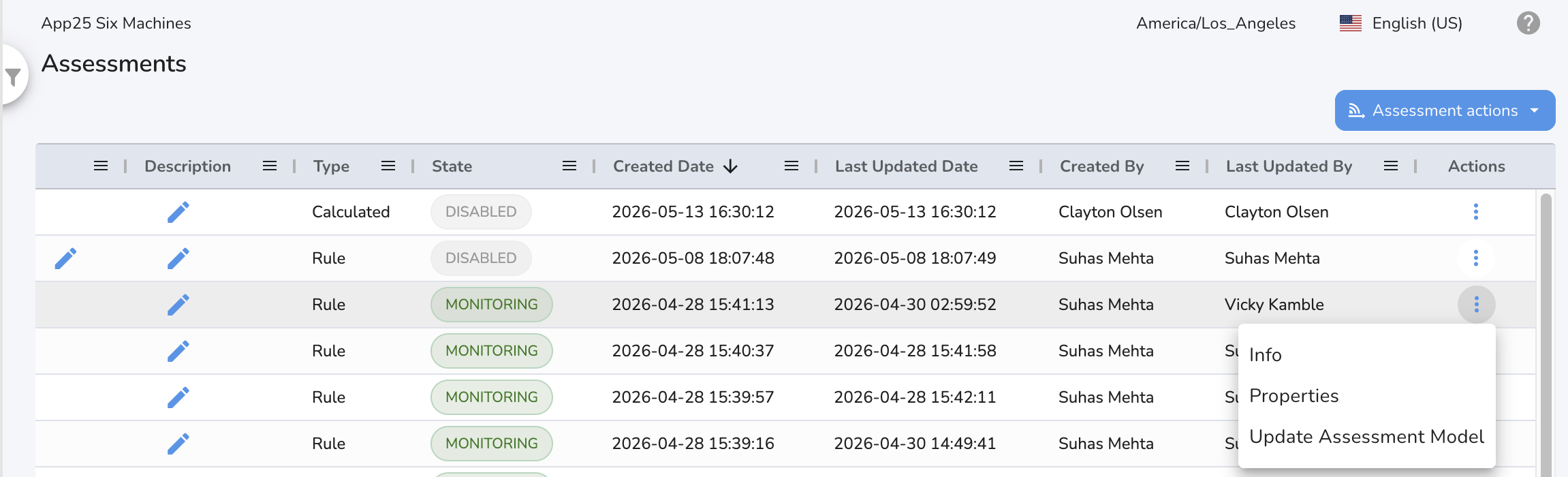
Live Monitoring of Assessments
Creating an Assessment
Before live monitoring can begin, an assessment must be created for the model you want to monitor. This is done via the API. The assessment links the model to the monitoring workflow.
Start Monitoring
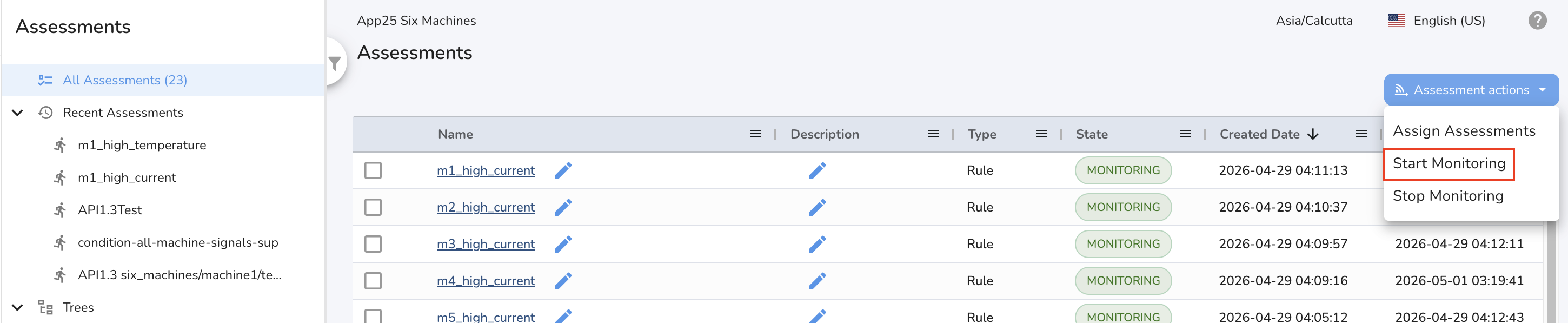
To enable monitoring for an assessment, use the UI:
- Go to the Assessments section.
- From the Assessment actions menu, click on Start Monitoring.
- The state of the assessment will change to MONITORING.
Stop Monitoring
To disable monitoring for an assessment:
- Open the dropdown menu for the assessment.
- Click on Stop Monitoring.
- The state will update, and no new assessment output will be generated until monitoring is started again.

Updating the Model for an Assessment
Update the model for the assessment by clicking on Update Assessment Model under actions. Select the updated model name.